
Contents
Voice commands are a great way that offers players enjoy the virtual reality experience, in particular, games. And in a huge collection of excellent games with brilliant graphics and visuals, Elite Dangerous is a remarkable game with addictive role-playing gameplay and enhanced mechanics. Let’s imagine what happens if a great RPG like Elite Dangerous combines with voice commands? Surely, they will bring you a great realism experience.
For this reason, lots of players are seeking Elite Dangerous voice commands as well as how to use these commands. In order to learn detail about this issue, let’s follow us in this article
1. What are Elite Dangerous voice commands?
First of all, let’s find out what are Elite Dangerous voice commands.
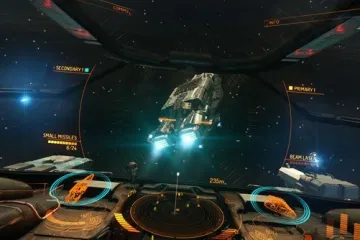
In fact, when playing any game including Elite Dangerous, you will see lots of buttons and controls. In order to control this game and your ship, you will have to do it by yourself or get somebody else to help you with this issue. This makes your experience is not really realism and great. And Elite Dangerous voice commands will help you resolve this problem. Instead of using the hand to control the game, with these commands, you just do this by saying. For example, when you say “hey, let’s go a little faster please”, right away you will hear a response like “Yes captain. increase speed” or something like that. Very interesting, isn’t it?
2. How to use Elite Dangerous voice commands?
In order to use these commands, in addition to the voice commands created by you, you also need two other things. They are HCS VoicePacks and a software named Voice Attack.
HCS VoicePacks
Like the name, this is a package of voice in which there are thousands of response for various voice commands. The creator of this voice pack also offers users a selection of themed voice response packs to choose from. When playing Elite Dangerous, if you create a voice command, a corresponding answer will be obtained from this package. Besides that, some voice packs have not only command responses but also educational information such as facts about the universe, constellations, etc.
Some prominent and available voice packs of this organization are A.S.T.R.A, Leo, Legend, Venus, D.A.R.K, Orion, Carina, Archer, Vega, Celeste, Eden, and M.A.R.S, etc. In order to own these voice packs, you need to pay for £4.99 or around $7.50. There are up to 1128 separate commands in these packs and you can use them to control your game.
Some core separate commands are:
- Landing Gear Up/Down
- Deploy Fuel Scoop
- Deploy Weapons
- Drop Chaff
- Exit Supercruise
- Convert Power to shields
- Clear the dock and engage jump.
In addition, in case you want to personalize the voice pack, let’s click on this link and choose the ADD ON “Personalised Pack” – ASTRA REQUIRED. It is a little bit more expensive than other packs with the price is £9.99.
Requirements for using Elite Dangerous voice pack
- Voice Attack software: The Elite Dangerous voice packs are designed and professionally digitally mastered for Voice Attack software. So, in order to make these packs work, you need to download and install this software.
- Headset and microphone.
Voice Attack 
This is a software that is created to help you control your game smoother. This software adds your voices as an extra controller with voice commands that are created by YOU. It takes your voice commands and translates them into keyboard presses. After that, the HCS VoicePacks will base on that command to give back a response.
In order to have this software, you need to download or purchase it from here. It offers users a 21-day trial. However, the trial version gives you only one profile with twenty commands. In case you want to have full function trial you need to purchase a registration key, but the trial time is still 21 days. Being a gamer, I strongly recommend you to purchase this software. Its cost is $8 and you can use it for a very long time.
In addition to this software, there is a good free pack from Zenuel called Anubis. And you can look for the old community made pack called KICS to use, however, it seems to have disappeared.
3. How to install Elite Dangerous voice commands?
In order to install Elite Dangerous voice commands, let’s follow our guide below:
- Install the latest version of VoiceAttack via the link I offered above.
- Purchase an Elite Dangerous voice pack
- Ensure your computer is trained with your voice
- Unzip to the folder of the voice pack
- In VoiceAttack, let’s create a new profile and import the voice pack from: c:\Program File(x86)\Voice Attack\Sounds\hcspack\profiles\[select your profile]
A full profile will include the voice commands and database of information like “What are comets”?
Conclusion: Above are all guide of Elite Dangerous voice commands. In general, in order to set up these commands, you need to purchase VoiceAttack software and an Elite Dangerous voice pack. Their price isn’t very expensive but the experience that they bring is so excellent. So, in order to have a more realism and lively experience, you should invest for them. Hope that with the information in this article, you will find lots of interesting and useful information. If you have any problem need to discuss, please share with us by leaving a comment in the comment section below. Now, thank you for reading and see you again in the next article!